Today · All channels
Dashboard
Uber Eats, DoorDash, Grubhub and direct orders all arrive in a single operational queue.
Order queue
Catalog & sales channels
The illustrated catalog and every storefront customers order from — open one to check how a dish, a price or a photo looks to them. Every menu change you save reaches all of them.
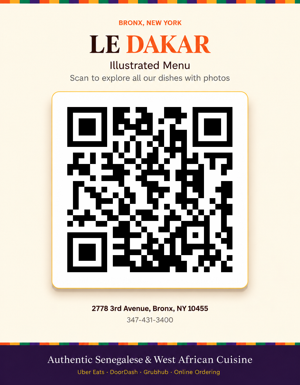
Show this code at the counter so guests can browse the catalog on their own phone.
Menu · Every channel
Menu & prices
Put a dish on the menu, take one off, rename it, change what is in it and what it is served with, set a price or replace a photo. Nothing here needs saving by hand — every change writes itself and reaches the site menu, the illustrated catalog and the feed the delivery platforms read within seconds.
Add a dish
A dish added here shows up on the home page menu, in the illustrated catalog and in the menu feed Uber Eats, DoorDash and Grubhub read — you can give it a photo straight afterwards from the list below. Leave the price empty to list it as “price upon request”.
Dishes
Everything changed here replaces what the site publishes, everywhere at once: the home page menu, the illustrated catalog, the direct order page and the menu feed the delivery platforms read. There is no Save button — type a price and it saves itself as soon as you stop typing, and taking a dish off the menu takes effect on the tap, with an Undo button for a few seconds after. Each row says where its own change is up to. Leave a price box empty to fall back to the published price, or to show “price upon request” for dishes that never had one. The list also re-reads itself, so a change somebody else makes on another device shows up here on its own.
Counter · All channels
Process an order
Scan the barcode or QR code on a direct order, or open a partner order to update how far along it is.
Find an order
Scan the barcode on the customer's receipt with the scanner plugged into the POS. On a cash order the first scan confirms the cash payment and the next scan confirms the pickup; on an order paid online a single scan confirms the pickup.
Scan the QR code
Hold the customer receipt in front of the phone camera.
Handle the order
Order details appear here
once you have found an order.
Receipts · All channels
Printer
Every order in the POS (counter sales, website and delivery platforms) prints with its full receipt: each dish with its options and notes, the totals, tax, tip and the payments taken.
Automatic printing
The setting is saved on this device only, so turn it on at the station the receipt printer is connected to. Keep this page open and unlocked. New orders are checked every 15 seconds and printed one after another. To print without the print dialog, start Chrome with the --kiosk-printing option and set the receipt printer as the default printer.
Recent receipts
Team access
Security
Change your own PIN and hand out a separate code to anyone else who needs the staff area.
Your PIN
Pick a code of 4 to 8 digits. The previous one stops working as soon as you save. Your start-up code from the site environment keeps working too, so you can never lock yourself out.
Other users
Everyone gets their own code, so you can change or revoke one person without disturbing anybody else. Order updates record which code was used.